Home Poker Table
Published on: Mon Jul 18 2022
A simple chip calculator to have fun with friends and family.

Don’t fight for coins, play for fun!
-. First personal app development project.
-. One-person production, released on App Store.
-. A simple chip calculator to have fun with friends and family.
The following content is aimed at coders and developers. If you’re not interested in these topics, please find more information on the Home Poker Table web page or in the App Store. Thanks!
Table of contents
About Home-Poker-Table
- Home Poker Table is a simple score calculator for people who want to enjoy casual card games, such as poker, with friends and family.
- Home Poker Table replaces coins, chips, and sometimes pen and paper with a single smartphone.
- Once installed on one smartphone, the app lets up to eight people play together.
- To experience the entire process of launching an app, I handled the planning and design as well as development.
- Developed with
UIKitand Storyboards, following the MVC pattern.
-
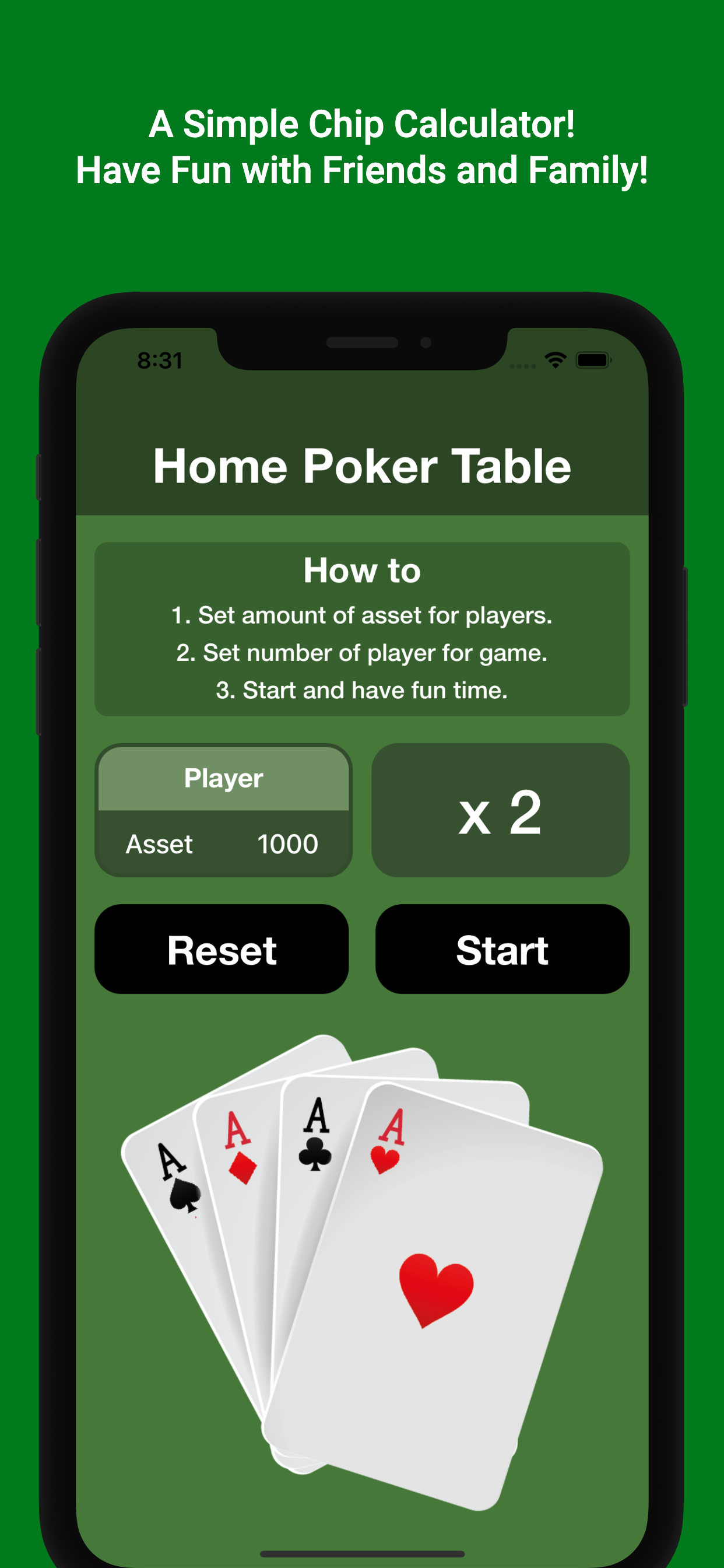
Main view
A “How To” guide is included on the main screen. Set two parameters for a new game: the starting amount and the number of players. -
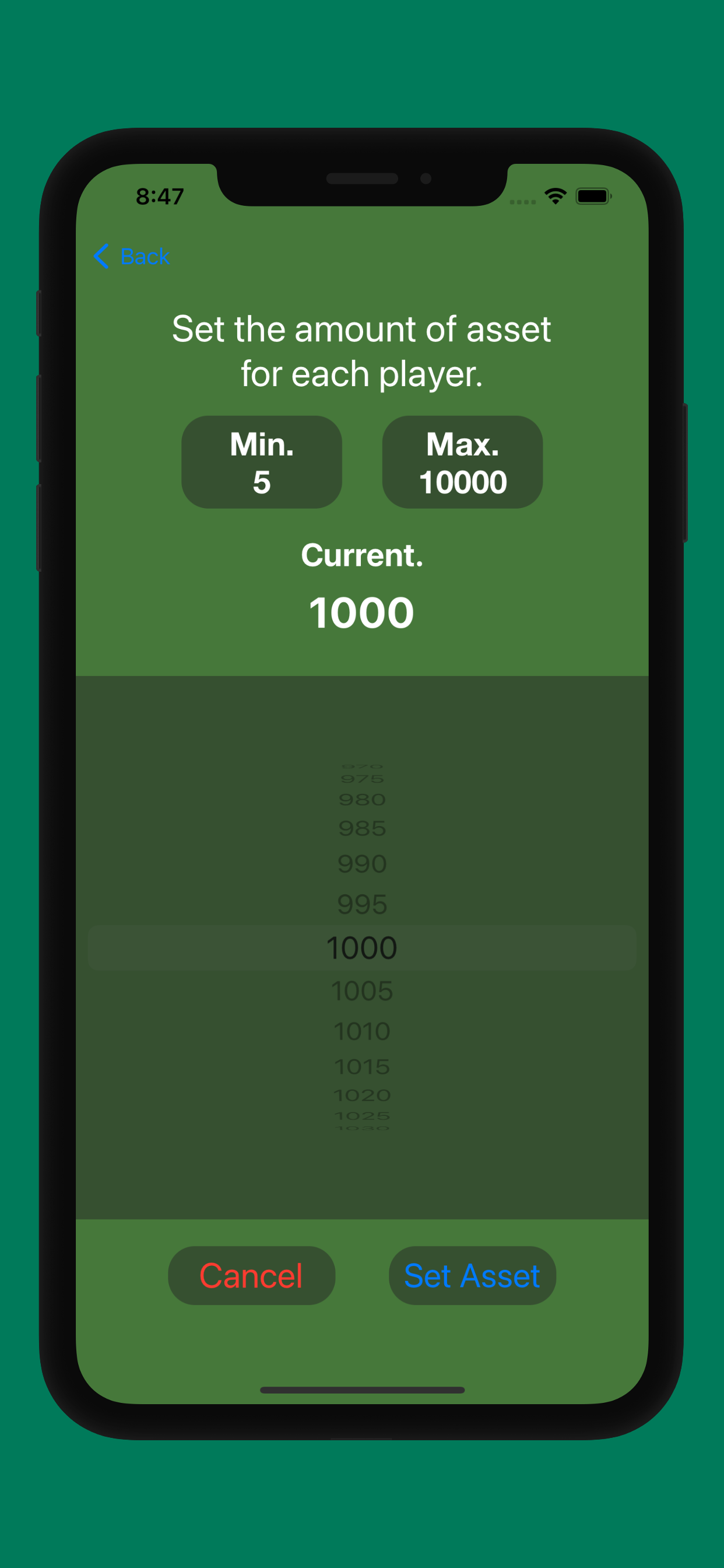
Asset setting view
Set the starting amount for each player. Minimum: 5; maximum: 10,000. -
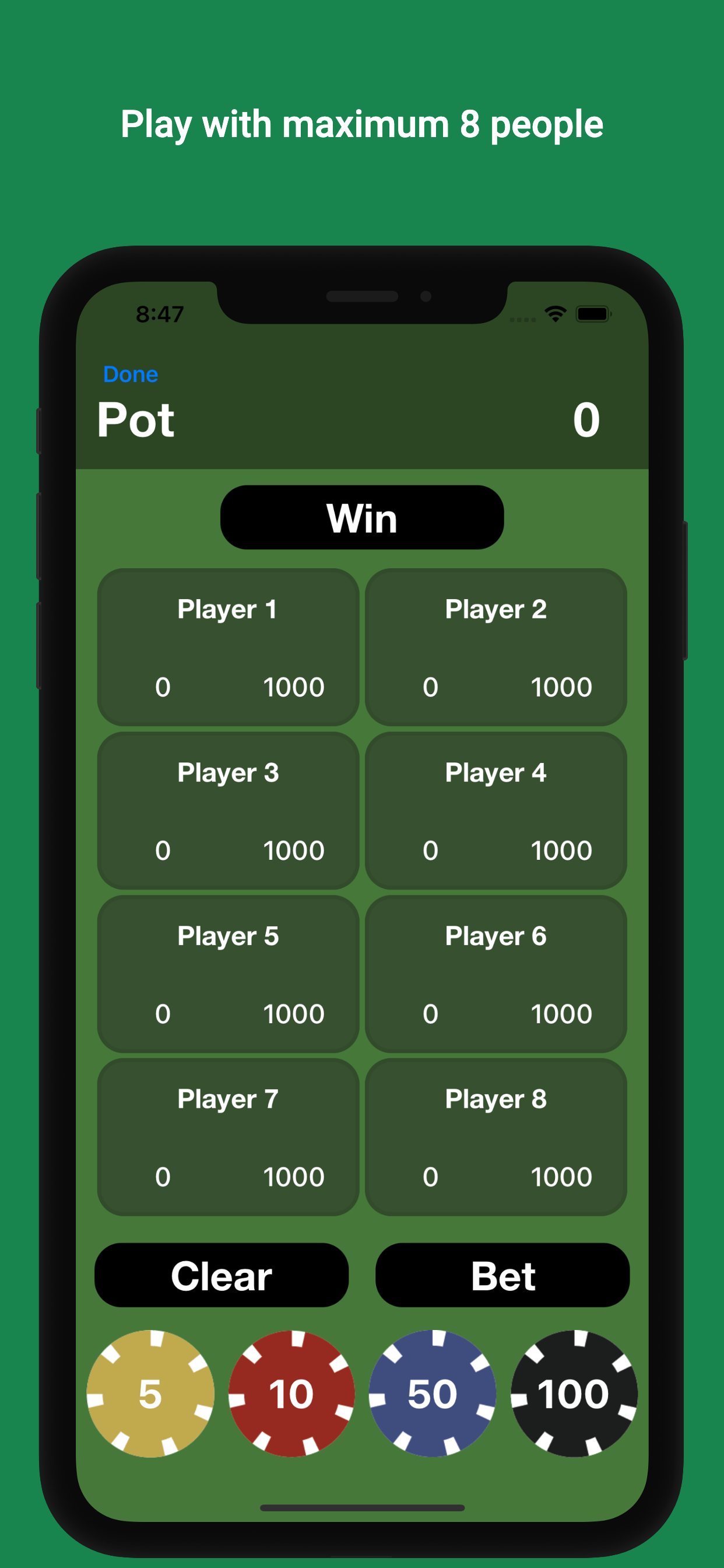
Game view of initial play
Eight players, each starting with 1,000. -
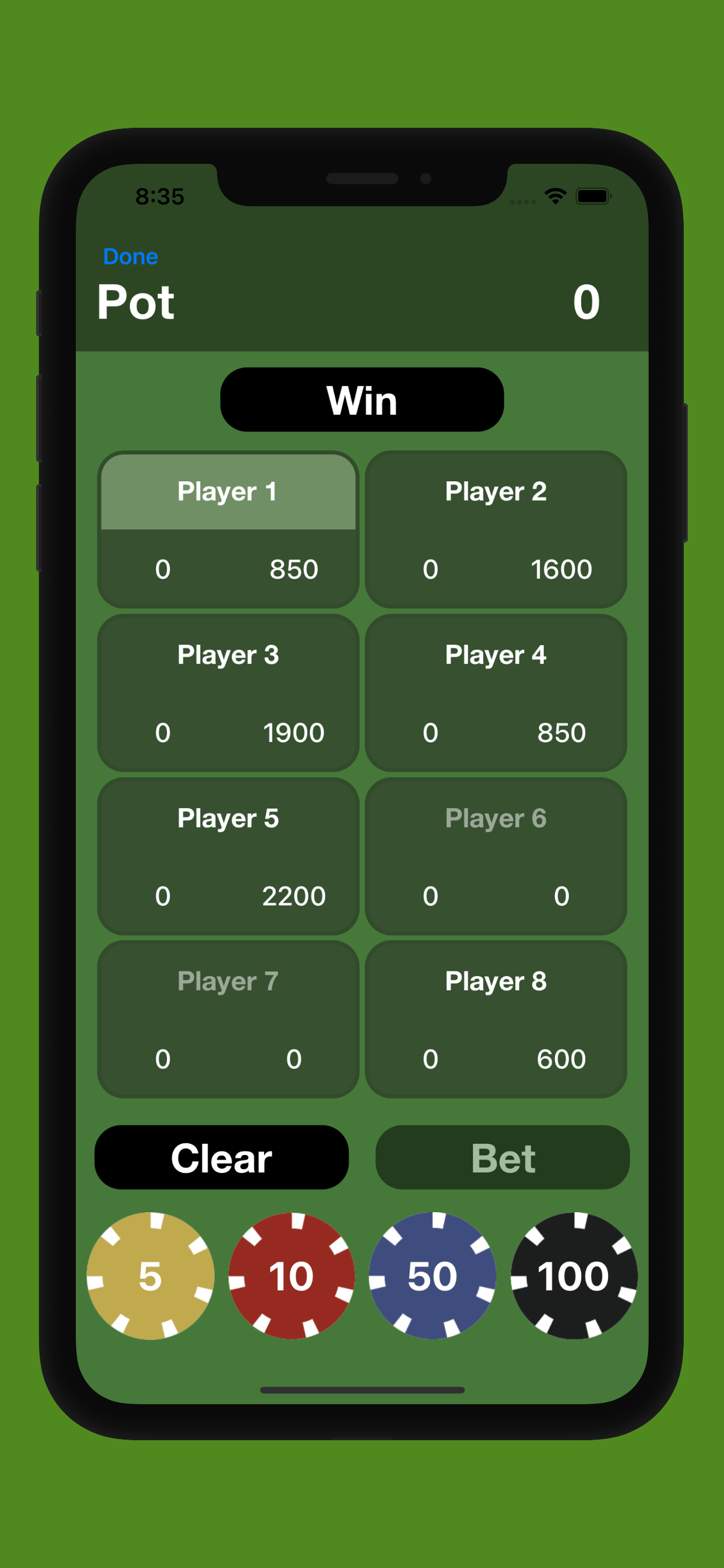
Game view of ongoing play 1
Tapping a player’s cell highlights it. Raise the bet by tapping a chip button at the bottom. The amount a player can raise or bet depends on their current balance. -
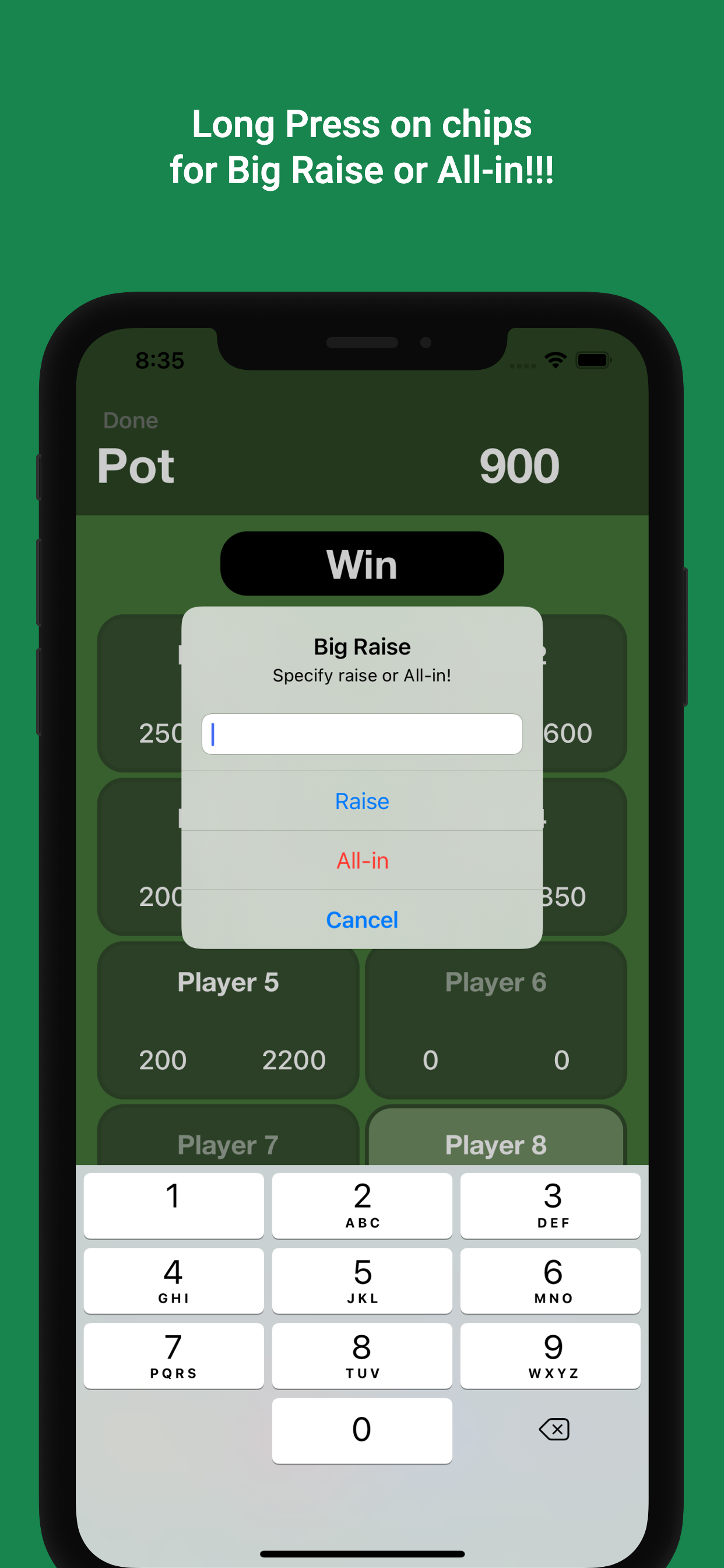
Alert controller for a big raise or all-in
For a larger raise or an all-in, long-press any chip button. Players can enter an amount or select All-in. If a player enters an invalid raise, the app adjusts the result. -
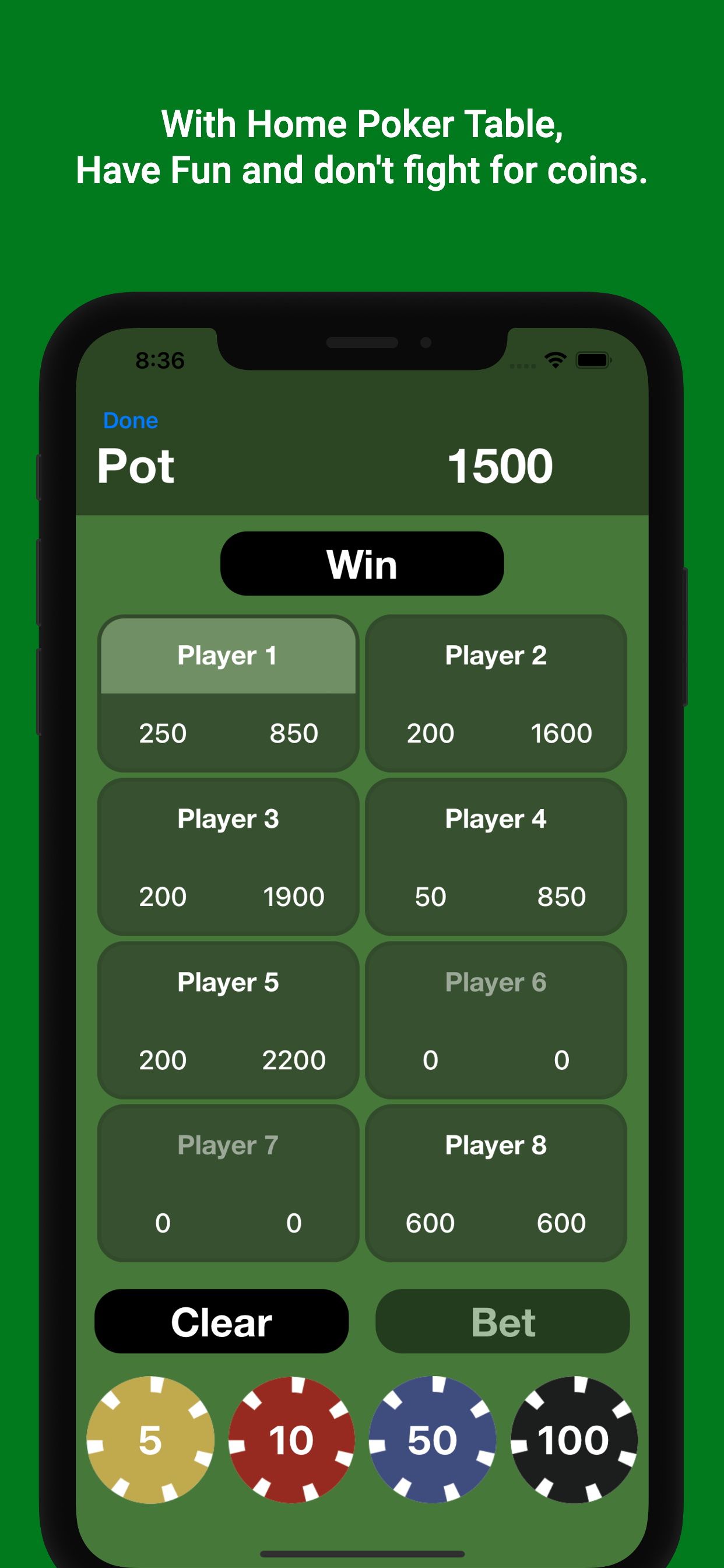
Game view of ongoing play 2
A player’s raise is shown in the lower-left corner of their cell. The player must tap the Bet button to add the displayed raise to the pot. Otherwise, the raise won’t be added to the pot. An alert also appears if a player tries to switch players or tap the Win button.
Features
- A simple interface with three view controllers, built with UIKit.
- Support for various iOS versions from iOS 13.4 to iOS 15.
- No external packages are required during development.
- Long-press a chip button to open an alert with a text field for a large raise or all-in.
- Alerts help protect against player errors.
- Up to eight people can play on one device.
Folder Structure
.
├── HomePokerTable.xcodeproj
├── HomePokerTable
│   ├── Assets.xcassets
│   │   ├── AccentColor.colorset
│   │   ├── AppIcon.appiconset
│   │   ├── cards.imagest
│   │   ├── chip005.imagest
│   │   ├── chip010.imagest
│   │   ├── chip050.imagest
│   │   ├── chip100.imagest
│   │   └── icon.imageset
│   ├── Menu
│   ├── Models
│   ├── Play
│   └── Storyboards
│       └── Base.lproj
└── docs
    ├── assets
    │   ├── css
    │   ├── js
    │   ├── sass
    │   └── webfonts
    └── images
        └── screenshots
Version History
- Plan to update continuously.
- latest update: v1.0.0
- v1.0.0: Release on App Store, 18 June 2022.
- start: Initial commit, 18 April 2022.
What I Learned
From start to release
- Period: 18 April 2022 - 17 June 2022 (60 days)
- Time Taken: 70 hours (Design + Development + Release)
-
Planning
- How to define an app’s minimum requirements.
- How to decide the iOS deployment target.
- How to decide which tools are right for current project environment.
- How to build and optimize a timeline.
- How to meet the deadline for progress.
-
Design
- How to create an app icon.
- How to design with wireframes.
- How to choose a color palette.
- How to design an app.
- How to use Figma.
-
Development
- How to manage the project with
Git. - How to manage a GitHub repository using branches.
- How to build a UI with
UIKitusing Storyboards. - How to work with Auto Layout and constraints.
- How to mix storyboard with programmatic implementation.
- Power of
computed propertiesand when to use them. - Better understanding of
MVCpattern and how to implement it. - Better understanding of
Delegatepattern and how to implement it. - Better understanding of
UIPickerViewand how to use it. - Better understanding of
UICollectionViewwithUICollectionViewLayout.
- How to manage the project with
-
App Release & Marketing
- How to make a landing page for the app.
- How to deal with the Privacy Policy.
- How to upload an app build to App Store Connect.
- How to fill out the App Store Connect forms.
- How to deal with App Review.
-
etc.
- Designing was the most difficult part, both in UI and code structure.
- Found out that I am not good at color selection in designing. So, I got help from my friend.
- It was difficult to maintain motivation with one-person production.
- Apple App Store Review does not allow individual developers to submit simulated gambling apps.
- Although this app isn’t one, I would like to develop and release a paid app or one that includes AdMob in the future.
Future Work
- keep on refactoring
- add documentation
- support for iPadOS
- add unit test
- add ui test
- add sound effect
- add visual effect
- add editor mode
- add setting page
- build with swiftui
Keywords
- project
- ios
- swift
- uikit
- storyboard